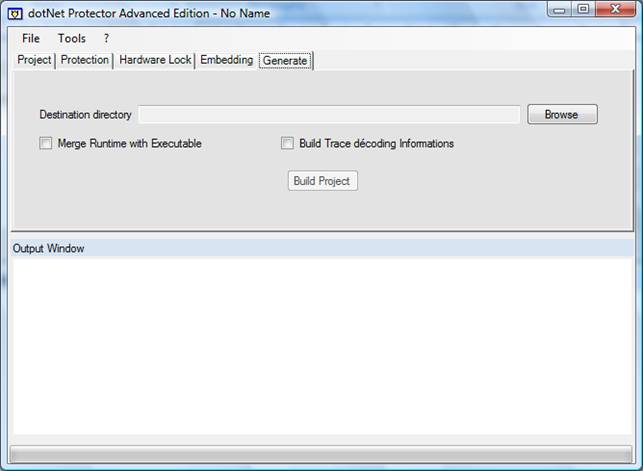
Destination directory
Let you select the output location. If you decide to embed dotNet Protector’s runtime (EXE project) additional directory will be created to separate different processor architectures (x86, amd64, Itanium).
Merge runtime with executable
Lets you build an EXE without dotNet Protector’s runtime dependency. The generated exe is then a mixed (native + managed) exe embedding the runtime. If your program is a v1.1 assembly, it will be converted to v2 to embed the runtime, which can cause som compatibility issues if your assembly can’t run on the v2.
When you select this option, your assembly is converted to an embedded netmodule. The final exe is then a multi-modules mixed assembly. Don’t forget that Assembly.GetExecutingAssembly.ManifestModule will give you dotNet Protector’s runtime module. Your assembly’s properties (name, version, assembly custom attributes) will be transferred to the generated assembly, as well as manifest resources. Then, GetManifestResourceStream should have the desired result.
Build Trace decoding informations
dotNet Protector strips all debug informations before protecting assembly. Original pdb files would be incompatible with the protected assembly anyway. If pdb are available in the same location of an assembly to protect, dotNet Protector can build a file allowing obfuscated StackTrace decoding.
Build Project button
Runs protection with current project parameters.
